
ComBoard
The AAC app that took one student from spelling twice a month to five times a week — now a shipped iOS app for any non-speaking communicator.
App Store → Figma Prototype →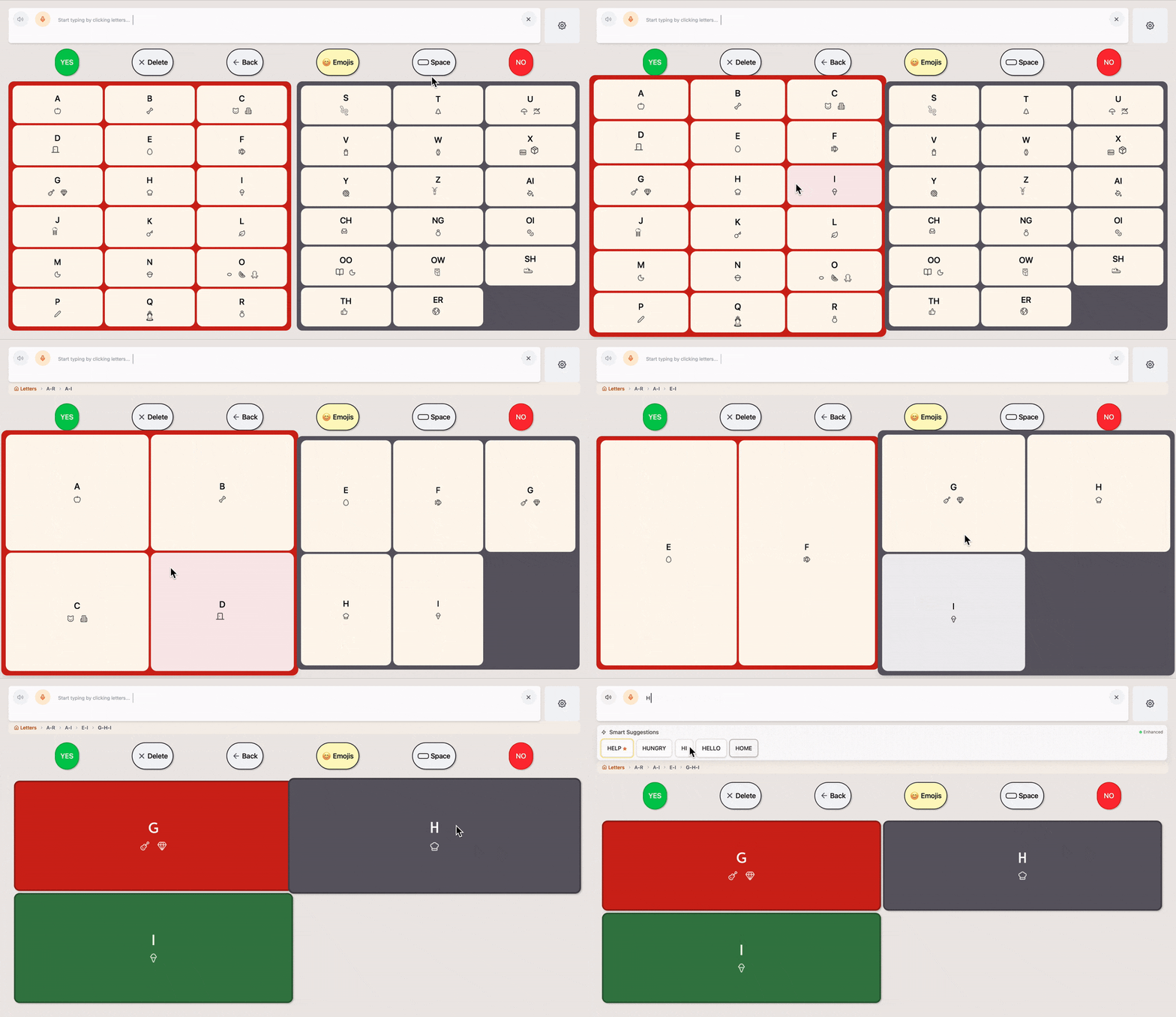

Overview
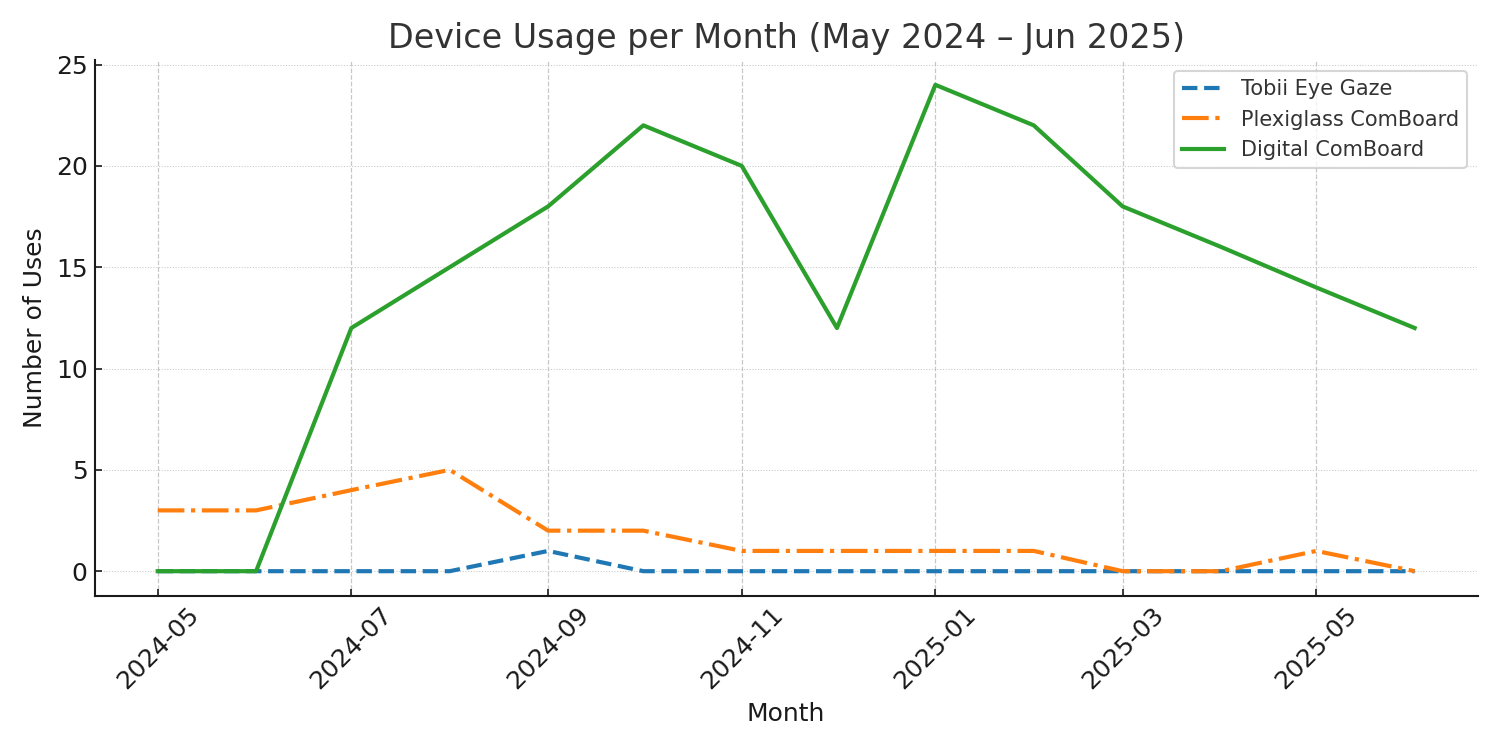
ComBoard is a custom AAC (augmentative and alternative communication) app designed for a 16-year-old non-speaking student with cerebral palsy. Her existing tools — a Tobii eye-tracking device and a plexiglass E-TRAN board — were bulky, slow to set up, and blocked her face during use, creating barriers to both communication and social connection.
Meet Ellie
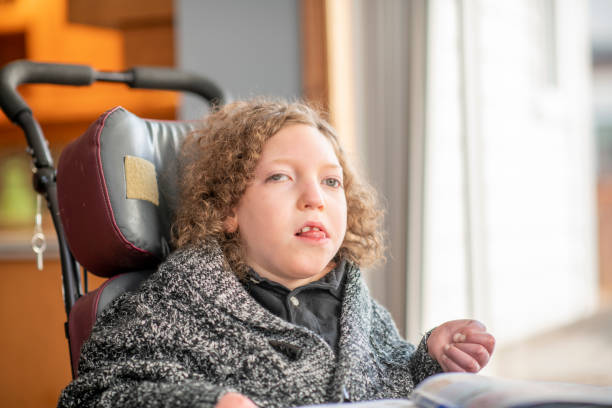
Ellie is 16. She communicates through left-right eye movements with interpretation support from an adult aide. The tools available to her — a Tobii device and a plexiglass board — cause eye strain, block her face, and make every interaction feel mediated rather than spontaneous.
Results at a glance
Journey Map: Communicate a Thought
Ellie wants to communicate independently and in real time. Here's what that looks like today.
- Tasks
- Feels the need to ask a question or share an idea; signals with eye movements or gesture
- Feeling
- Urgent, Anxious
- Improvement
- Always available AAC that allows self initiation
- Tasks
- Wait quietly; vocal noises to get attention
- Feeling
- Helpless, Dependent
- Improvement
- Visual or audio cues built into app to alert when she has something to say
- Tasks
- Aide interprets intent through body language and eye gaze; possibly set up bulky Tobii or plexiglass E-TRAN
- Feeling
- Embarrassed, Impatient
- Improvement
- Smart, predictive text
- Tasks
- Tobii blocks Ellie's face, E-TRAN is unwieldy; limited to aide-proposed options
- Feeling
- Frustrated, Excluded
- Improvement
- Eye-tracking technology; use of common device screens that don't block face
Accessibility
These decisions came from recurring user interviews and a competitive audit of existing AAC tools.
User Constraints
- Communication boards have limited word categories and lack spelling options for free expression.
- Many devices are cluttered and require fine motor control, causing eye strain.
- Many devices limit social interaction by blocking the user's face and view.
Design Decisions
Create a keyboard that integrates predictive text.
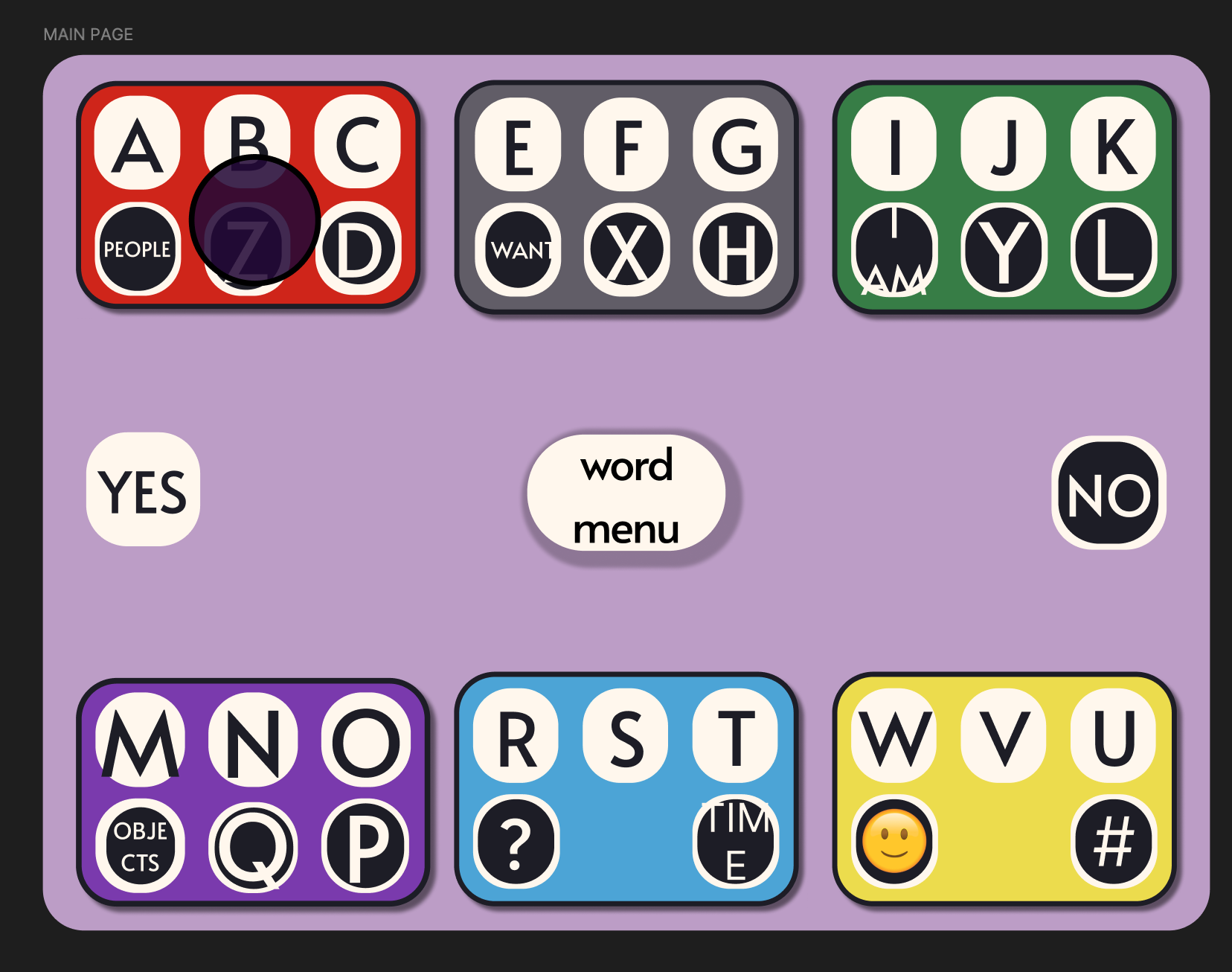
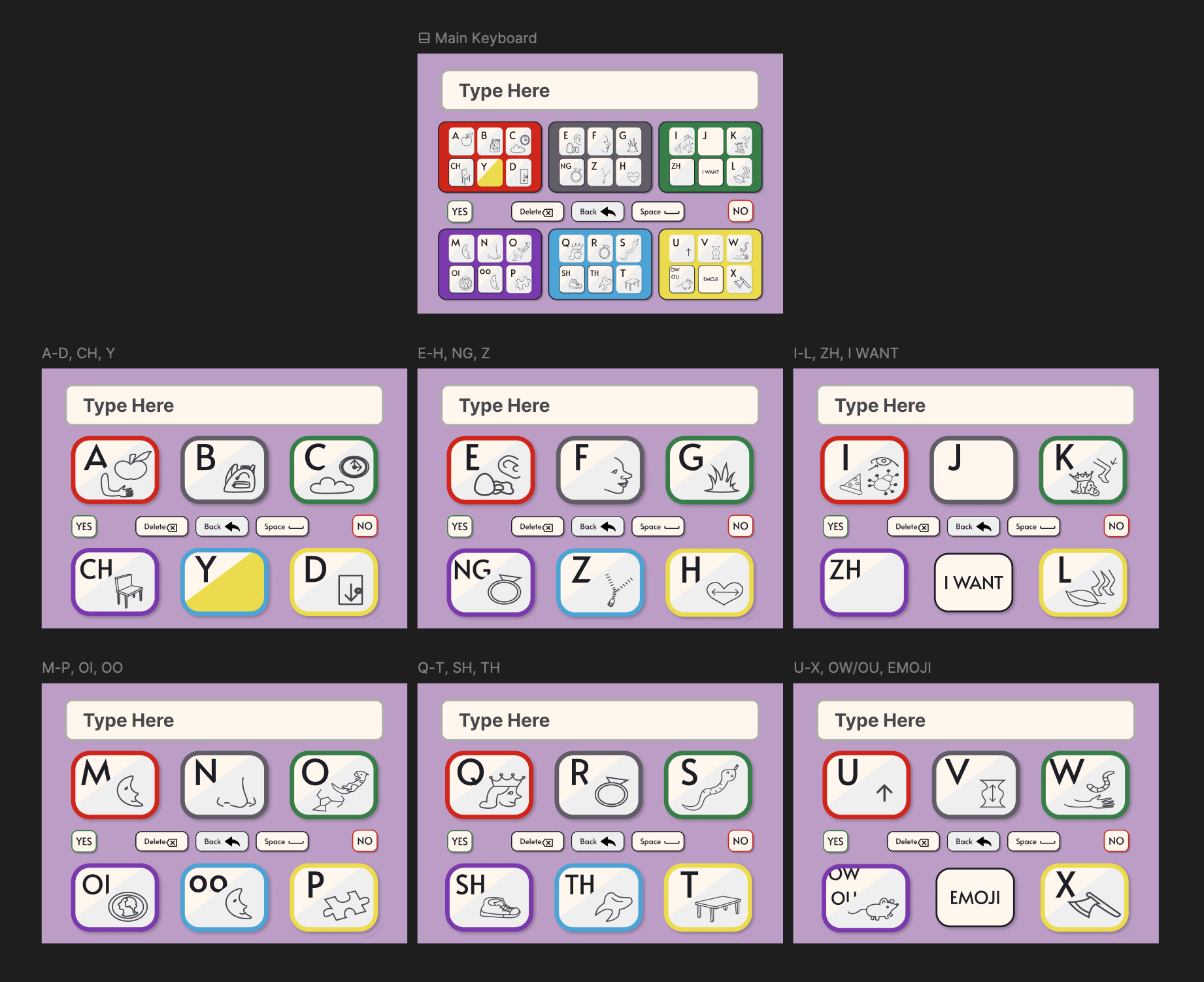
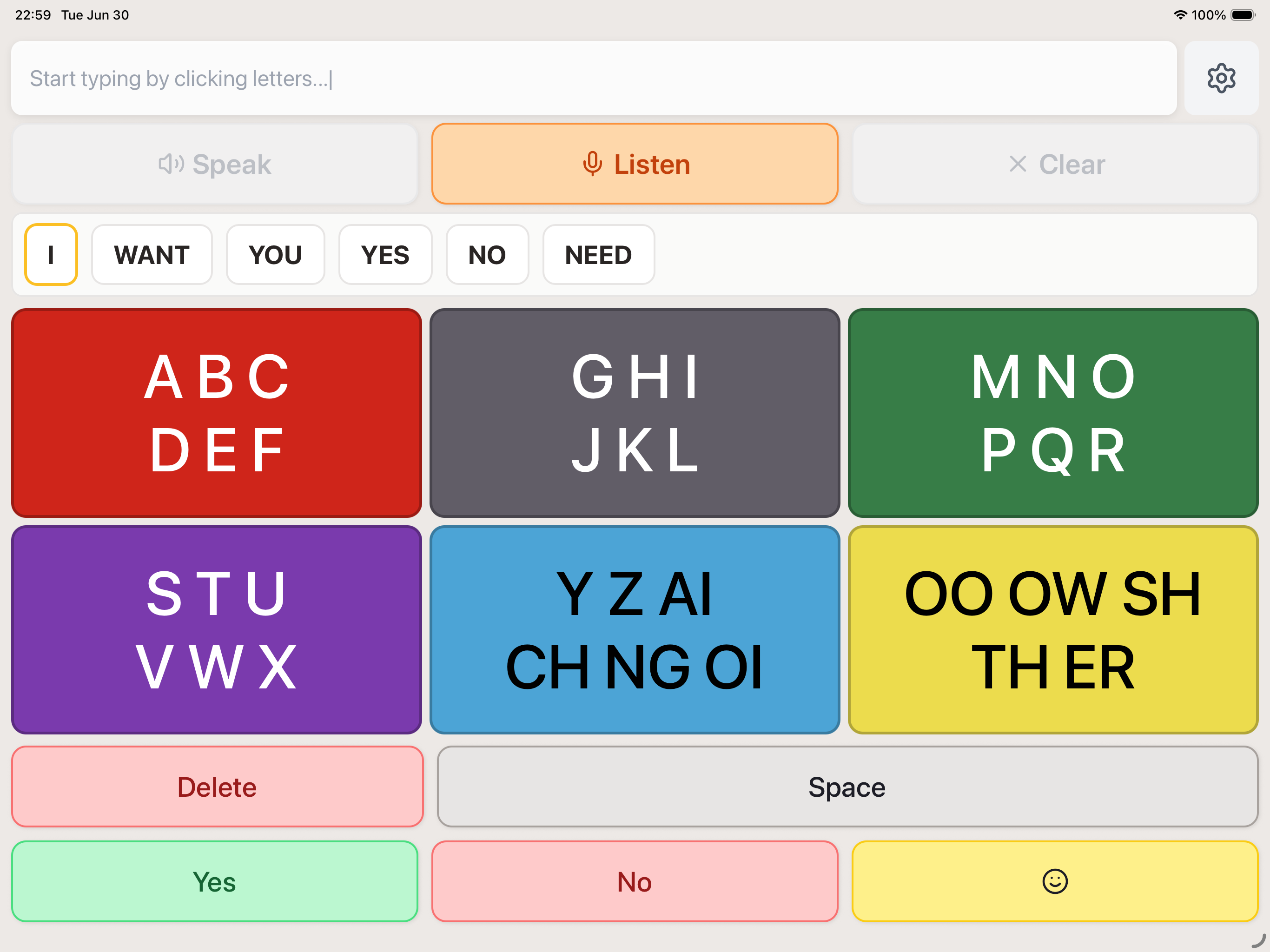
Cluster letters and add phoneme keys (e.g. "TH") to reduce small eye movements and mis-triggered selections, lowering motor demands.
Introduce an animated "clear" state that removes unused keys after each selection to reduce clutter and allow eyes to rest.
Design for standard tablets and phones so communication partners can hold the device, preserving eye contact and social connection.
Keep visually minimalistic with limited colors, strong contrast, and clear grouping to reduce cognitive load.
Design Decisions
I prioritized getting a functional keyboard into Ellie's hands as fast as possible, deferring polish and settings in favor of early, frequent testing with the actual user.
Ideation & Drafting (Week 1)
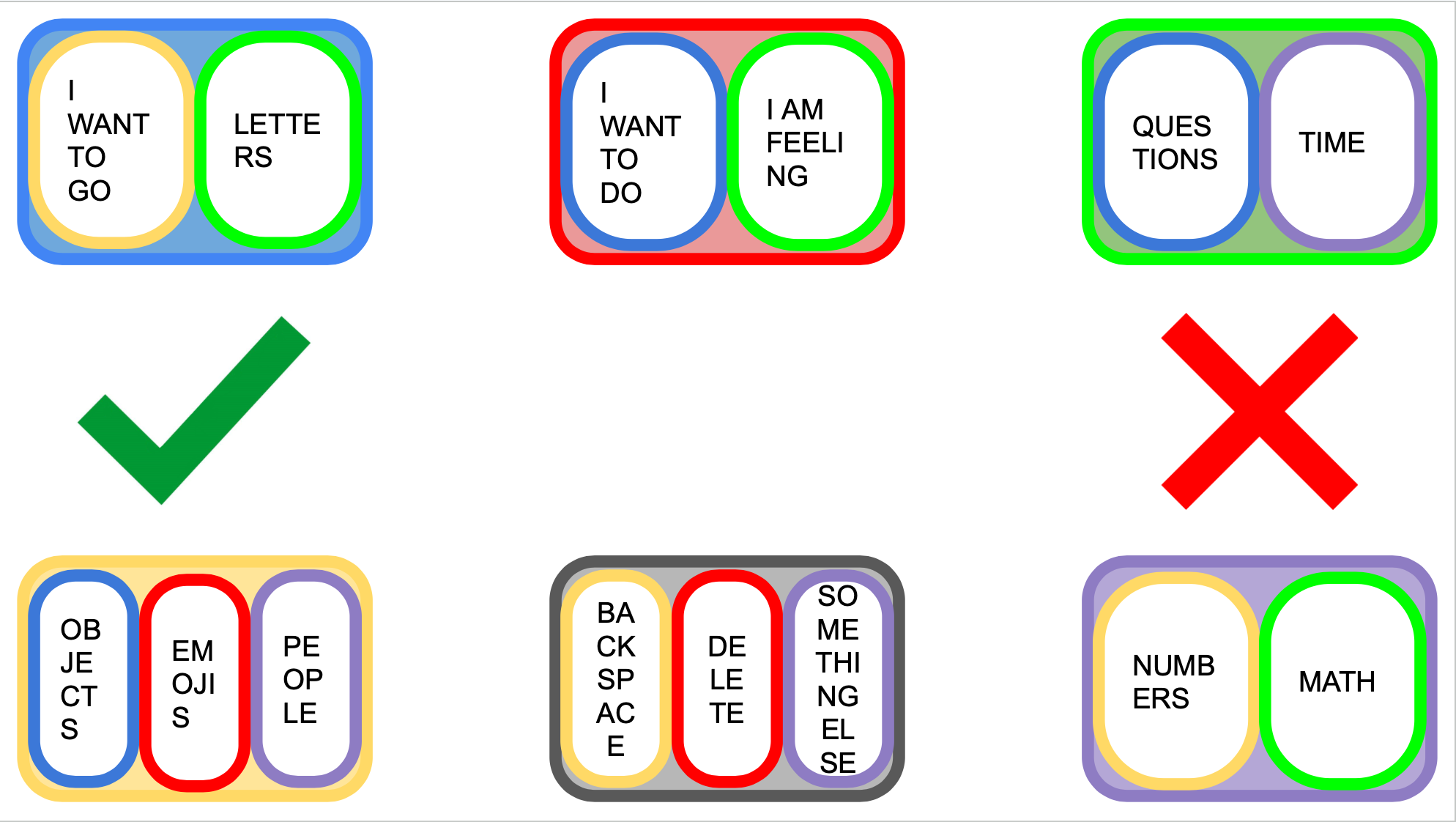
Draft 1 was a category-based communication board on Google Slides — a common format, but not scalable and limited to pre-set options. I switched to a keyboard design that puts more power in the user's hands.
Custom Designing Icons (Week 2)
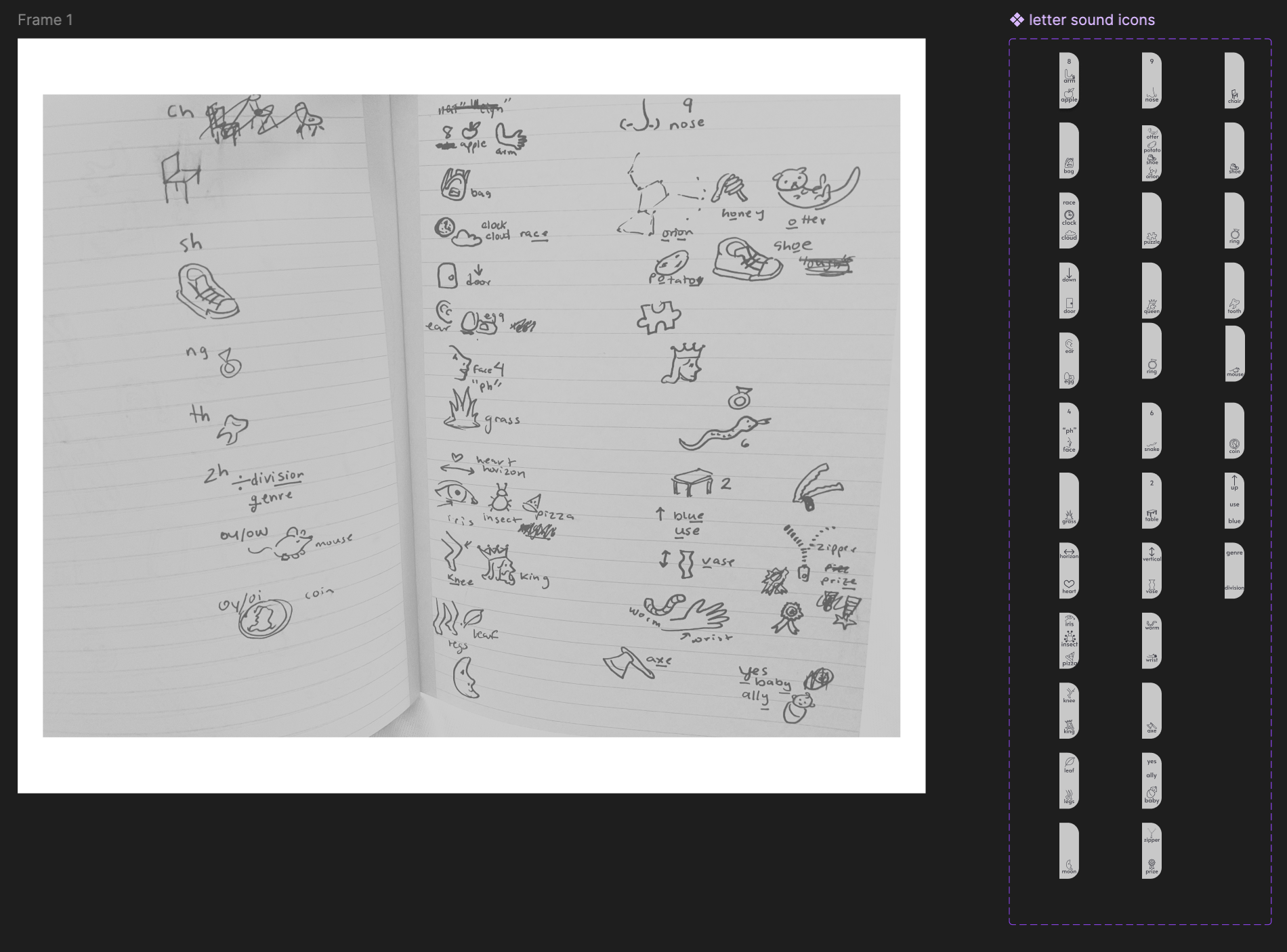
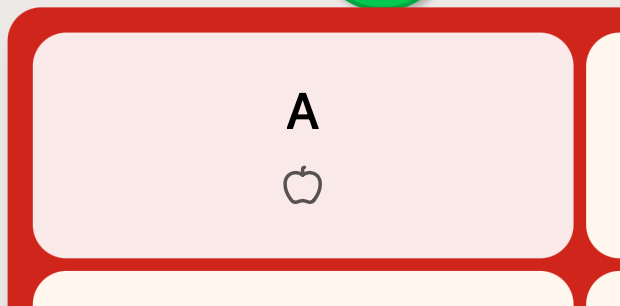
After learning Ellie struggles with spelling, I added small icons to each key as visual anchors. I sketched on paper, built them in Figma, and tested layouts with Ellie to balance letters, icons, and white space.
UI (Weeks 3–7)
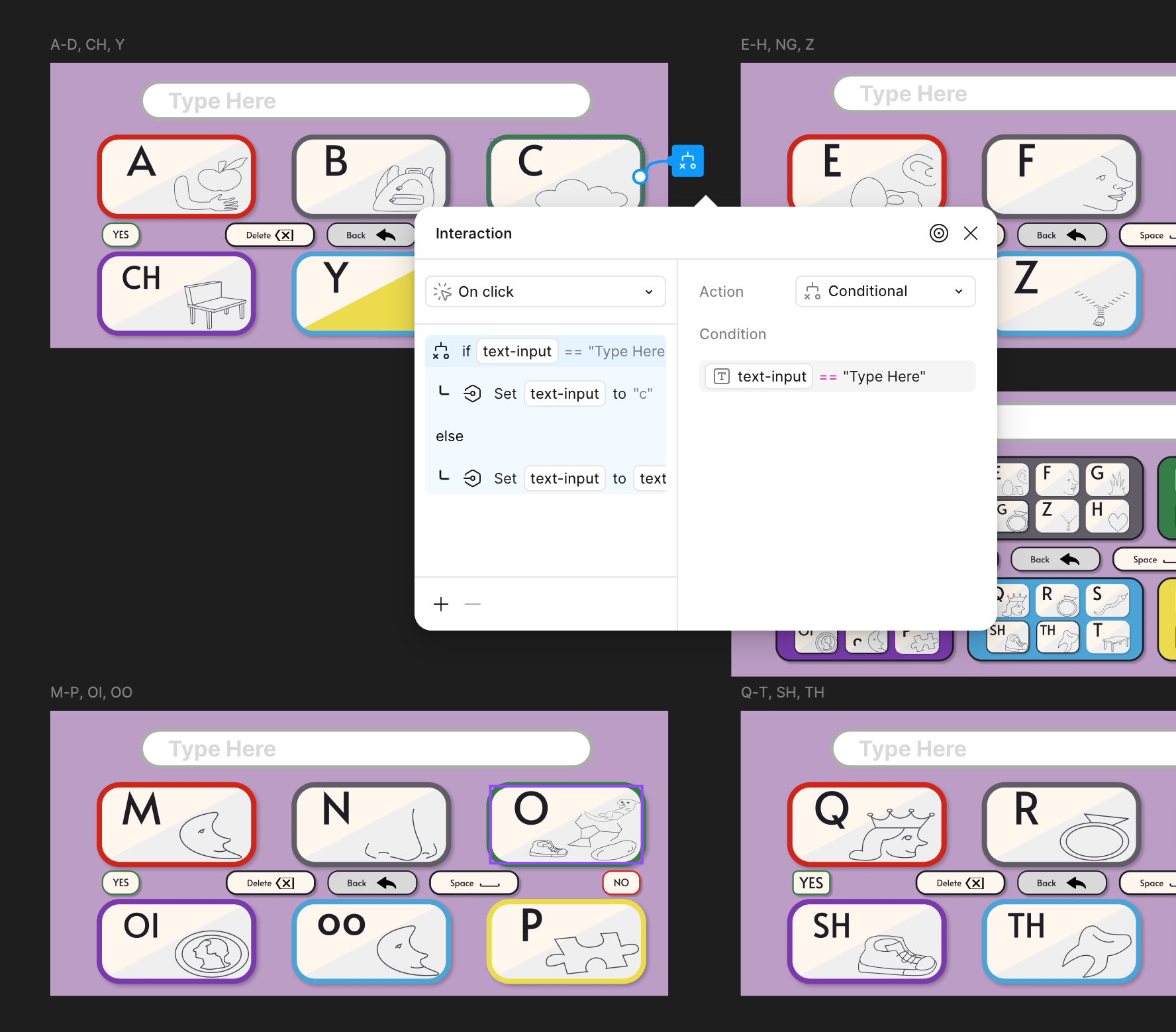
Interaction, User Testing, Prototyping (Weeks 8–12)
The Work
Figma Make Iteration
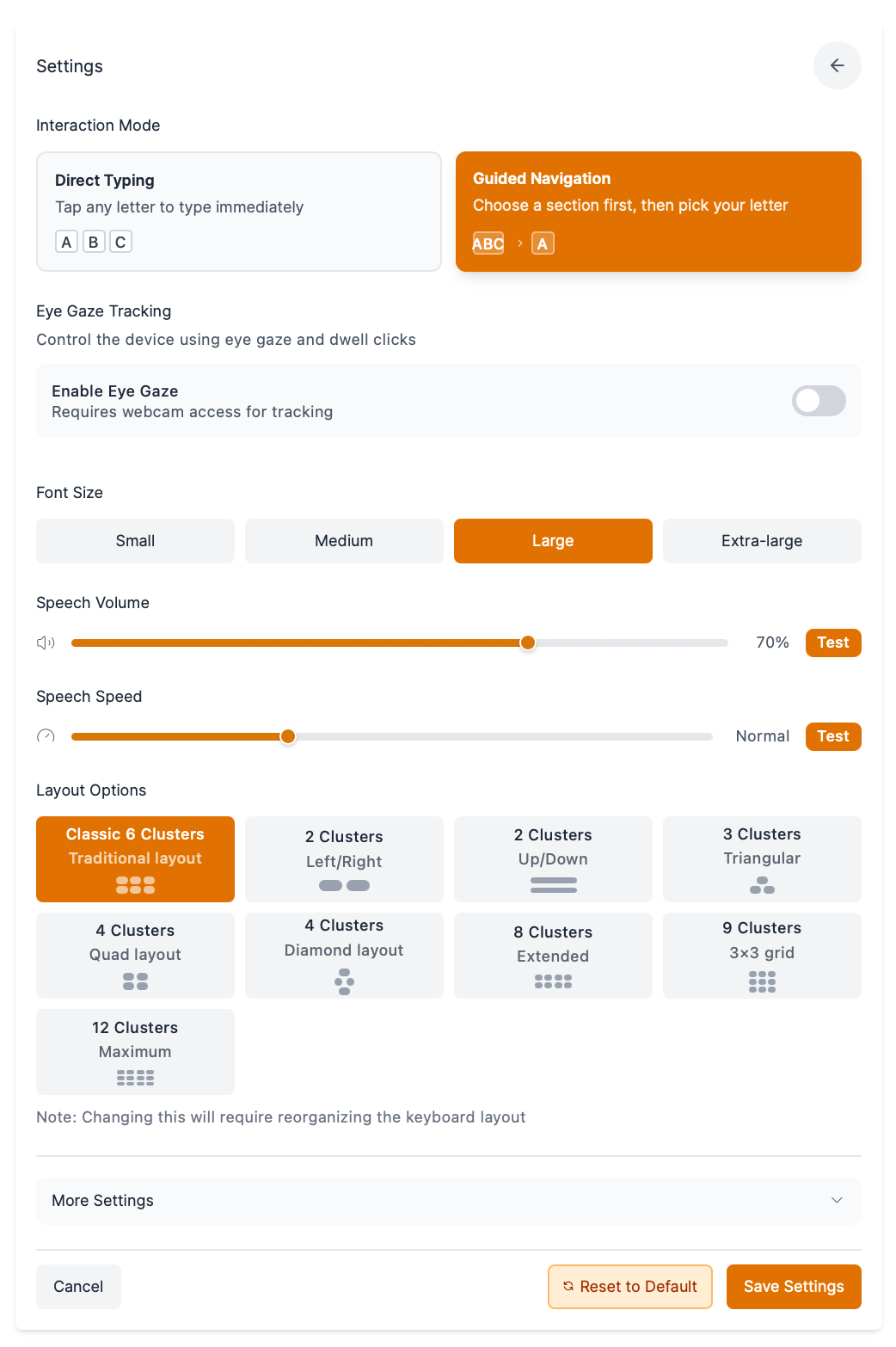
When Figma Make launched in July 2025, I revisited the prototype to add predictive text, text-to-speech, and speech-to-text — and to push personalization further for a broader range of AAC users.
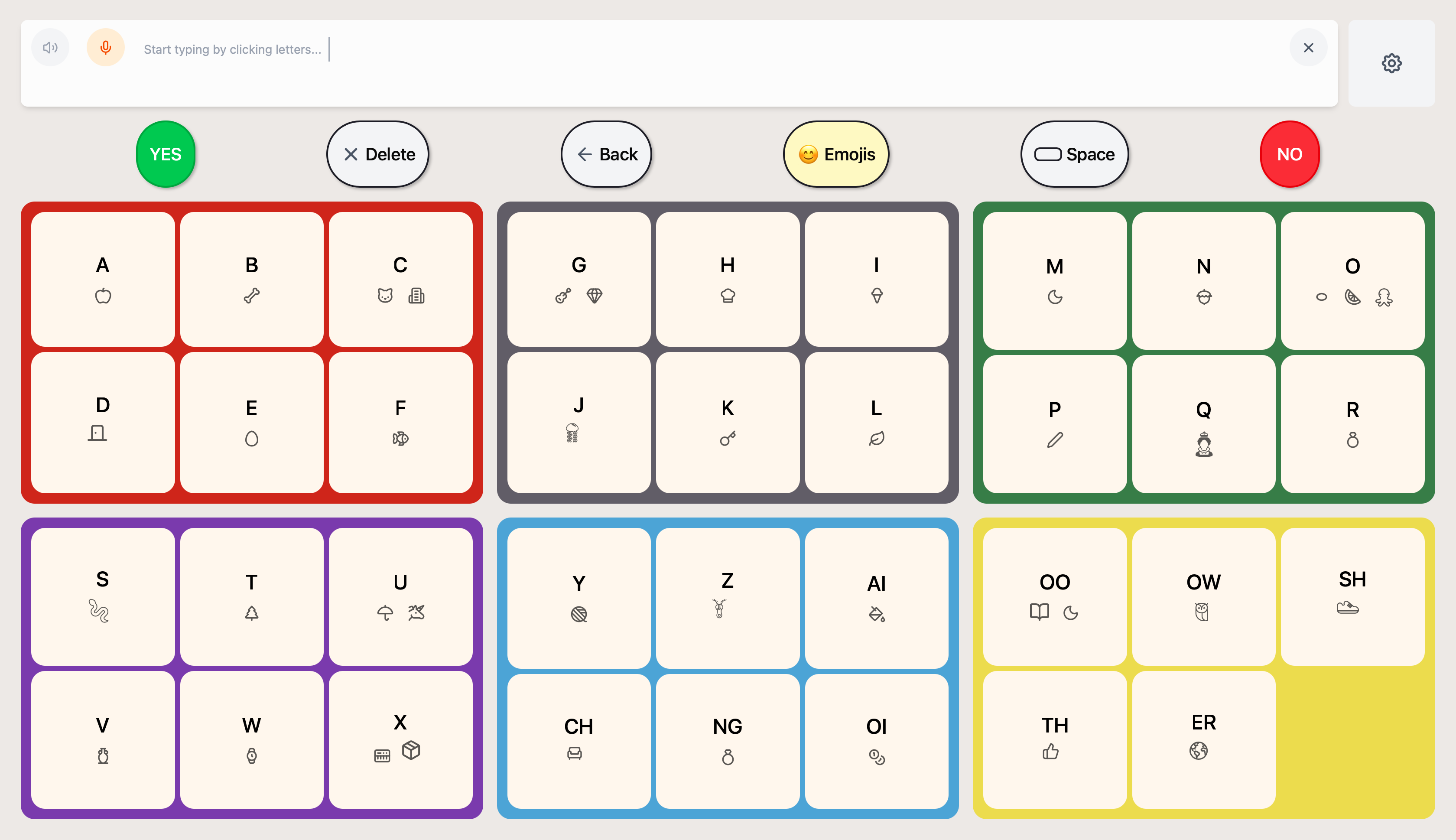
- Refined the UI to make better use of screen space
- Switched from custom to Lucide icons for consistency
- Improved selection feedback with scaling and highlighting

Sticker Sheet
All components organized by variant and state for easy iteration and developer handoff.
The App
In June 2026 I took ComBoard from Figma prototype to a shipped native iOS app in a one-month sprint — handling design, development, and App Store release solo.
Tech Stack
- React Native 0.81 + Expo SDK 54 (TypeScript) — fully on-device, no backend
- Native Swift module (StoreKit 2) for in-app purchase
- Apple system Eye Tracking (iOS 18+) for hands-free use
- On-device text-to-speech + speech-to-text, Lucide icons, React Navigation
- iPhone + iPad, iOS 16+
Key Features
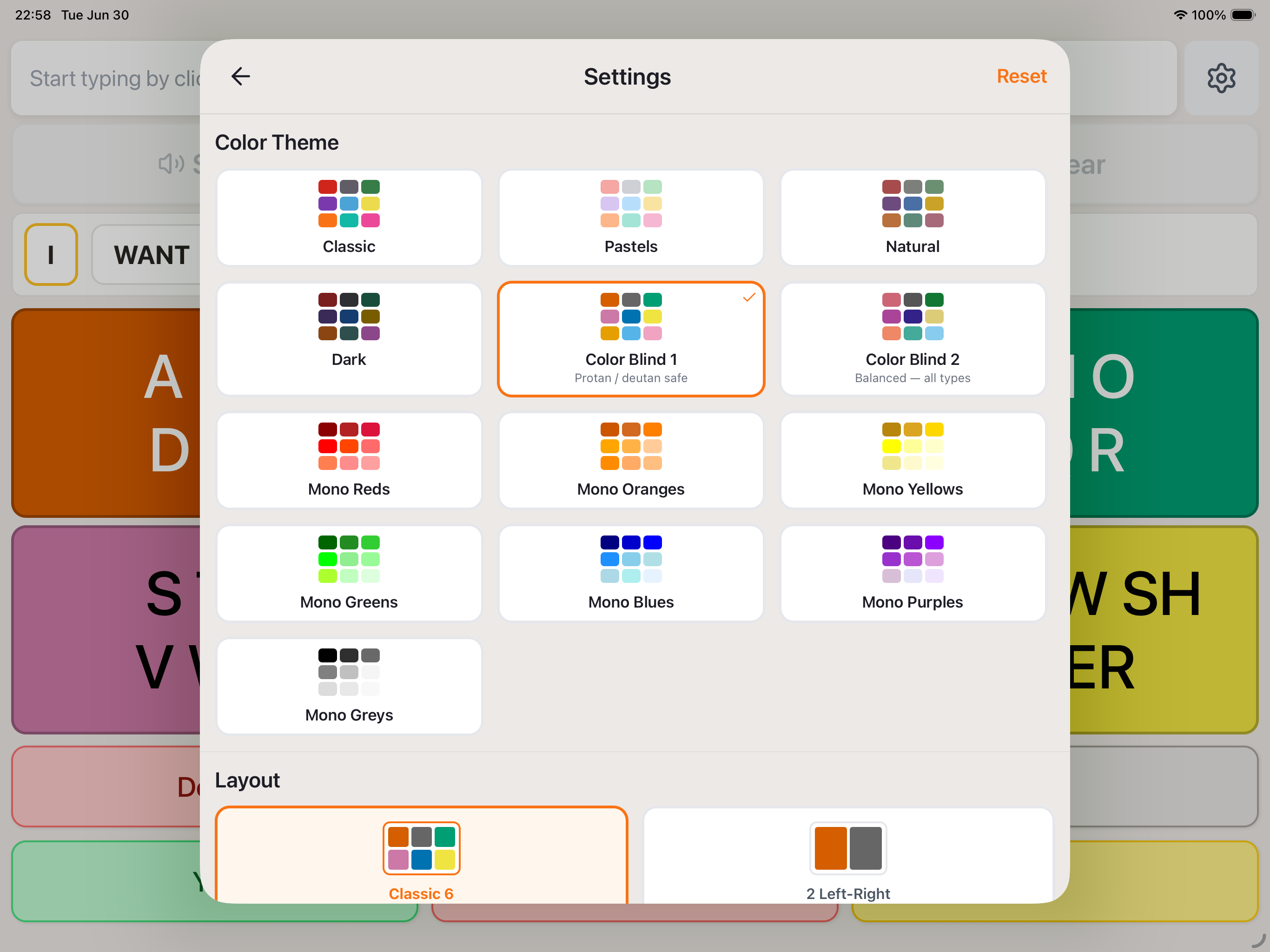
14 color themes including colorblind-safe (Paul Tol) palettes and monochrome sets
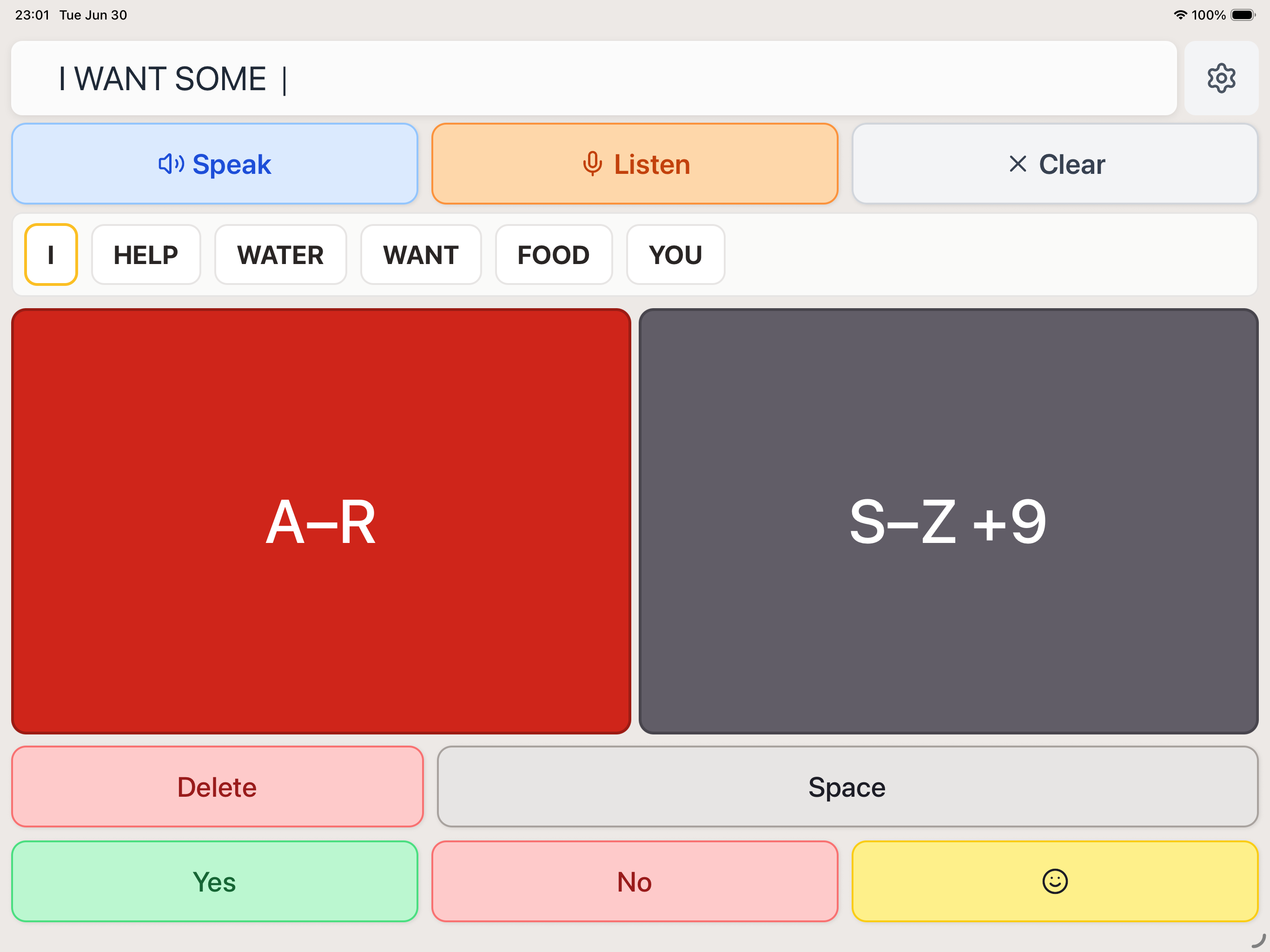
9 keyboard layouts (2-cluster to 12-cluster) with frequency-based letter ordering and range-collapsing tiles
Apple Eye Tracking — a pivot from the planned WebGazer research to native iOS integration
Text-to-speech + dictation — auto-speaks the message on pause, with speech-to-text input for communication partners
Emoji keyboard with the same recursive cluster drilling interaction
Adaptive sizing across phone and iPad, portrait and landscape, with range-collapsing cluster tiles ("A–R")
Shipped Product
Outcomes
Reflection
What I Learned
- Use existing resources. Custom icons delayed the product and introduced inconsistencies — Lucide already had what I needed.
- Color is functional, not just aesthetic. The palette went through several iterations before landing on colors that help Ellie focus on selections by looking toward color regions rather than distinguishing individual letters.
- State management matters. Complex interaction states need careful planning — poor implementation leads to messy code and a frustrating experience.