Designing an AAC tool around one student's communication needs
Built through long-term use with a nonspeaking student with cerebral palsy, then developed into a configurable iPhone and iPad app.
The existing tools worked, but asked a lot of her.
In my fourth year teaching, I worked with a nonspeaking student with cerebral palsy who communicated largely through eye movements with support from an adult communication partner.
Her Tobii device could be tiring to use and made face-to-face interaction awkward because the screen physically sat between her and the person she was talking to. Her plexiglass E-TRAN board was easier on her eyes and kept her face visible, but it was large, heavy, and difficult to carry around.
She already used simple left-right eye-gaze comfortably, so I started there.
The first version still decided what she was allowed to say.
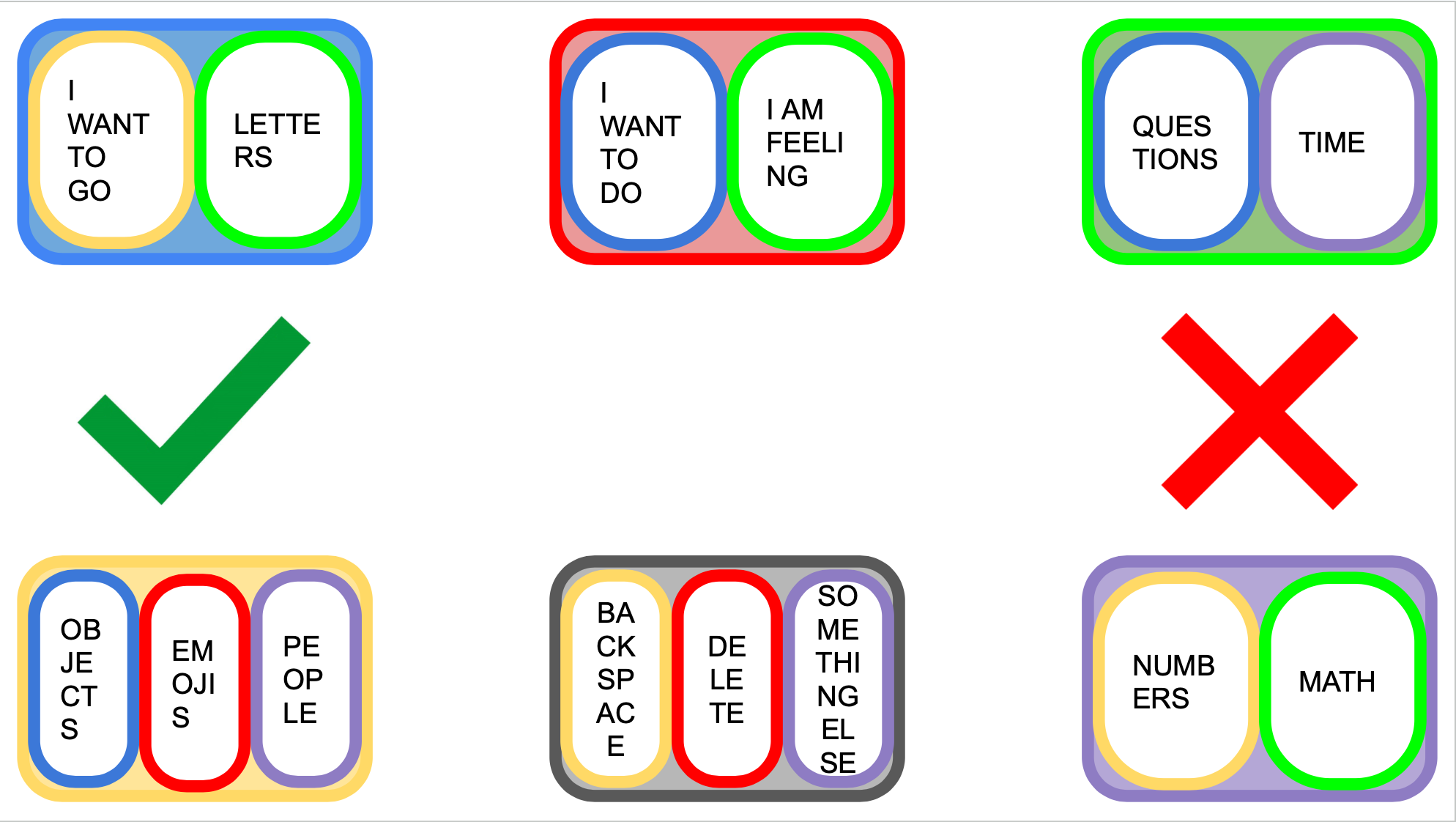
I started with a category-based board. She could make selections, but every category and phrase had been chosen in advance by someone else.
That pushed me toward spelling. Spelling gave her much more freedom, but a normal keyboard asks the eyes to make lots of small, precise movements.
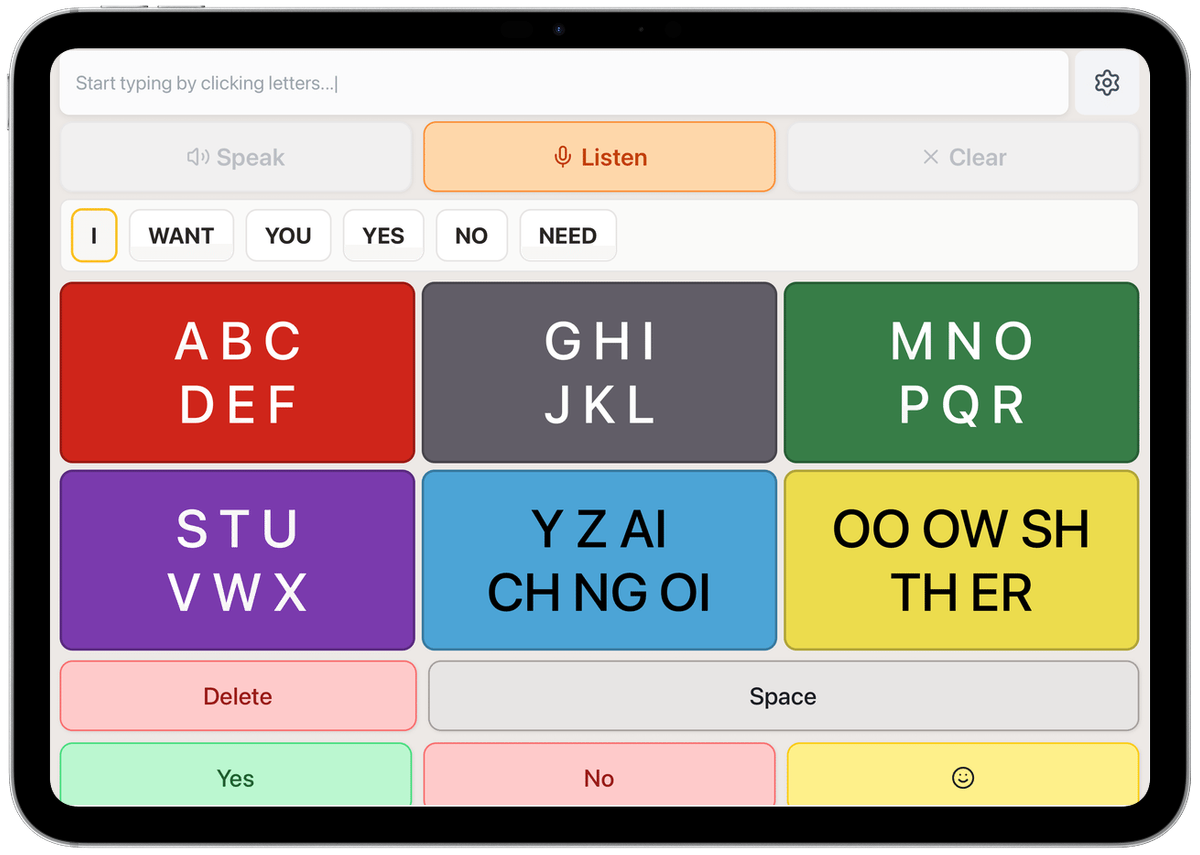
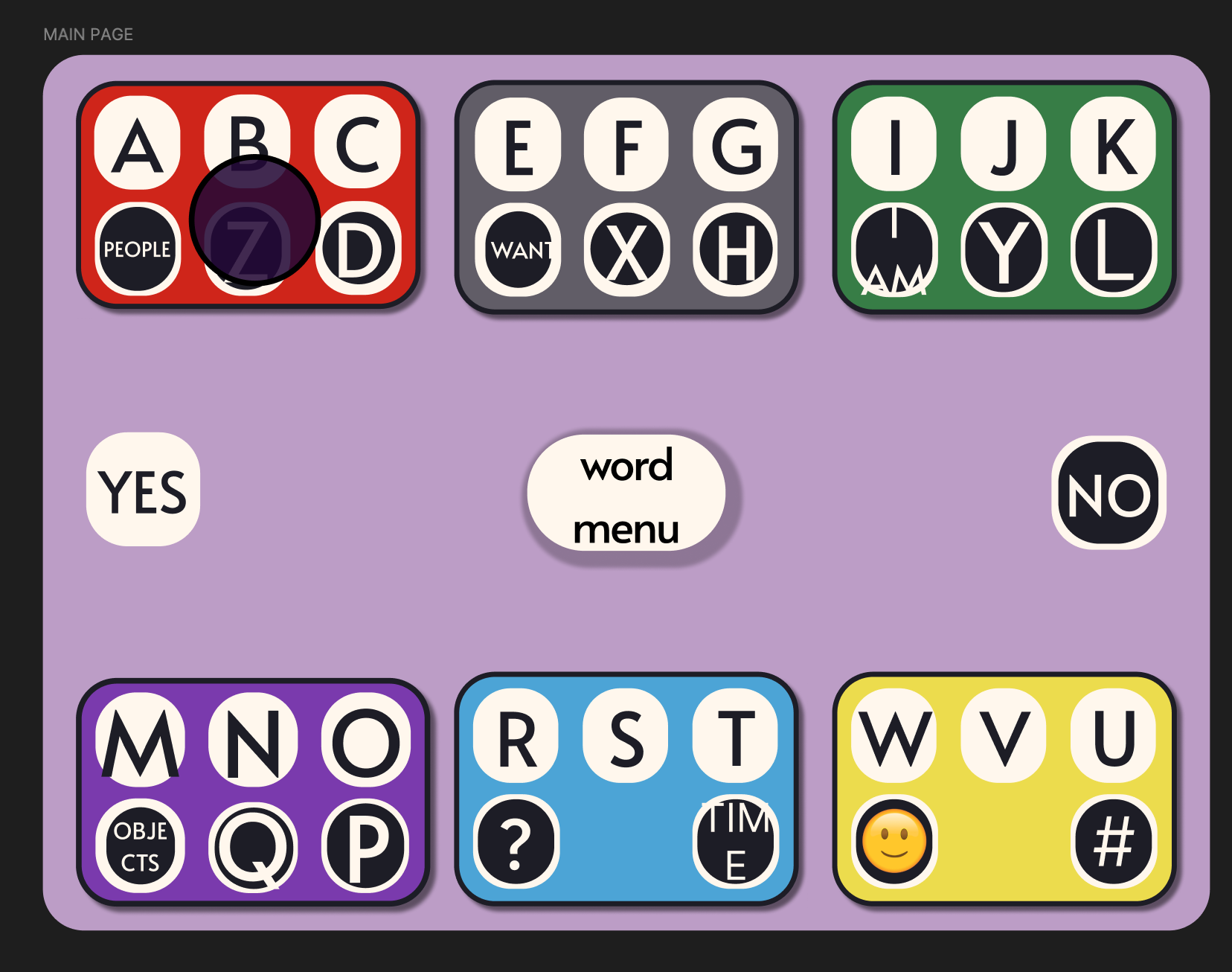
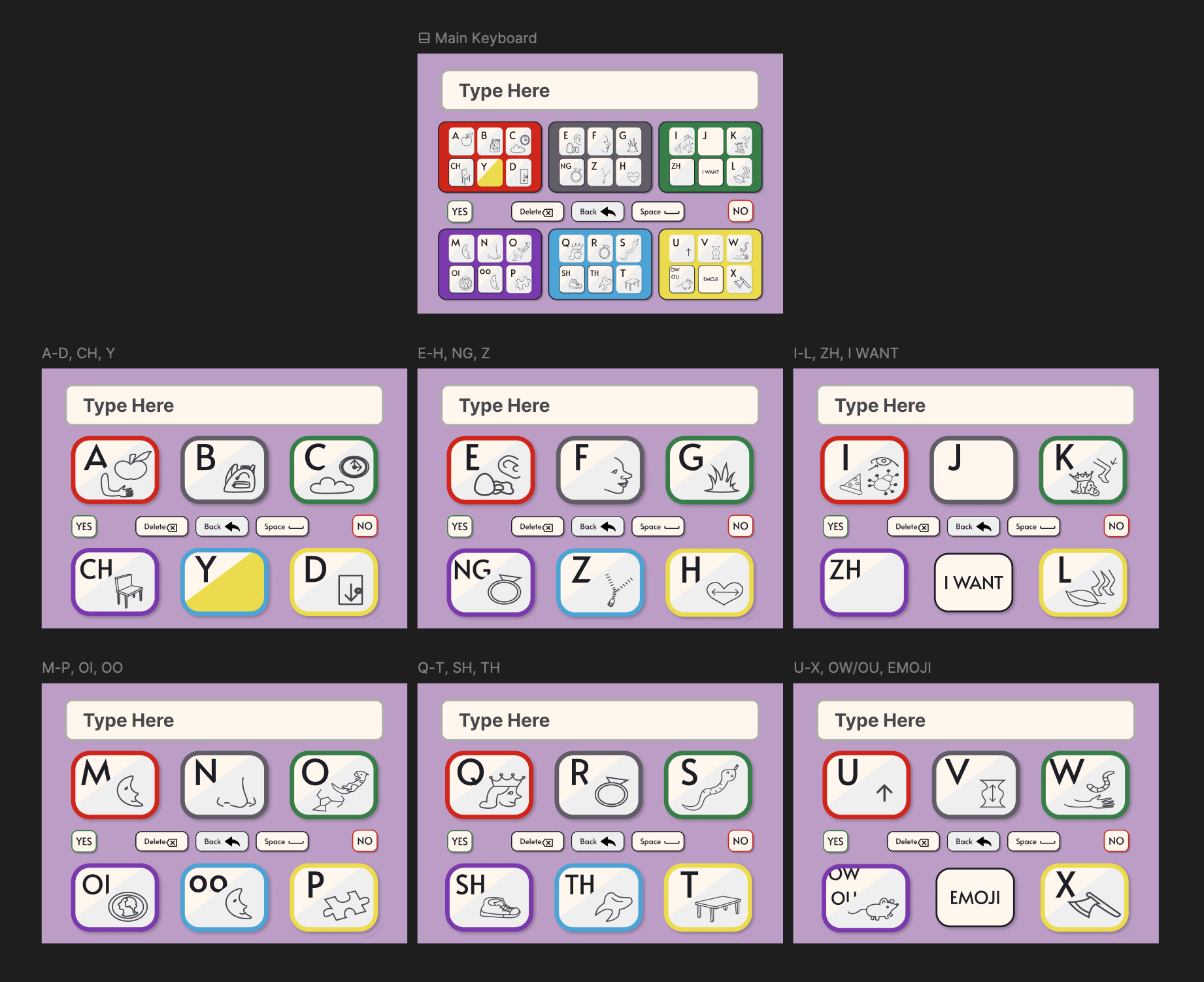
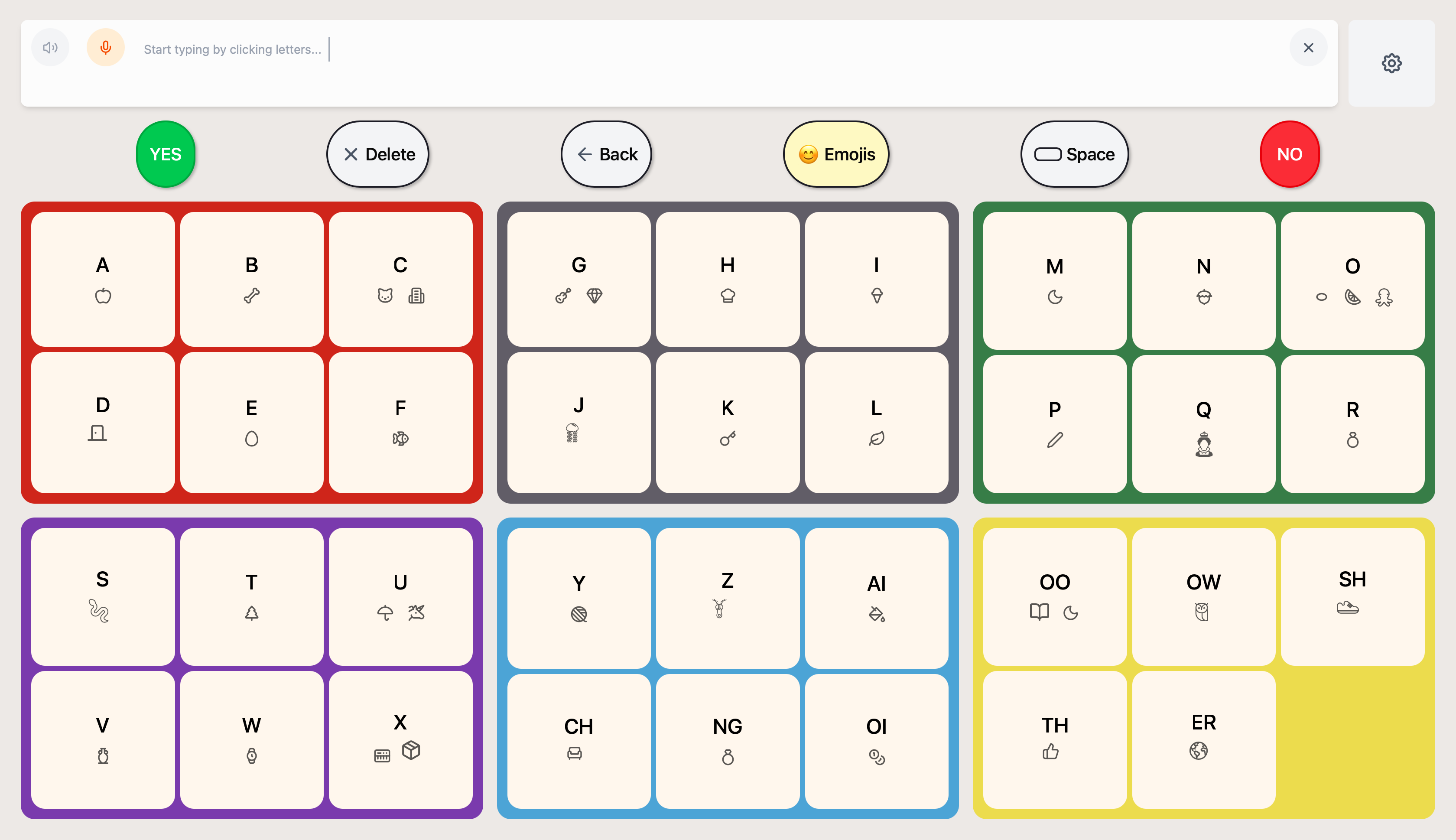
I borrowed from the E-TRAN board that already worked best for her and grouped letters into larger color-coded clusters. She indicates a cluster with her eyes, and a communication partner taps it on the screen.
How little does she need to look at, move toward, or interpret to make the next choice?
Most of the useful answers came from using it with her.
I prioritized functional versions over polished prototypes because the important questions were difficult to answer in Figma.
We would use ComBoard during real sessions, notice where communication slowed down or became frustrating, and adjust the design from there.
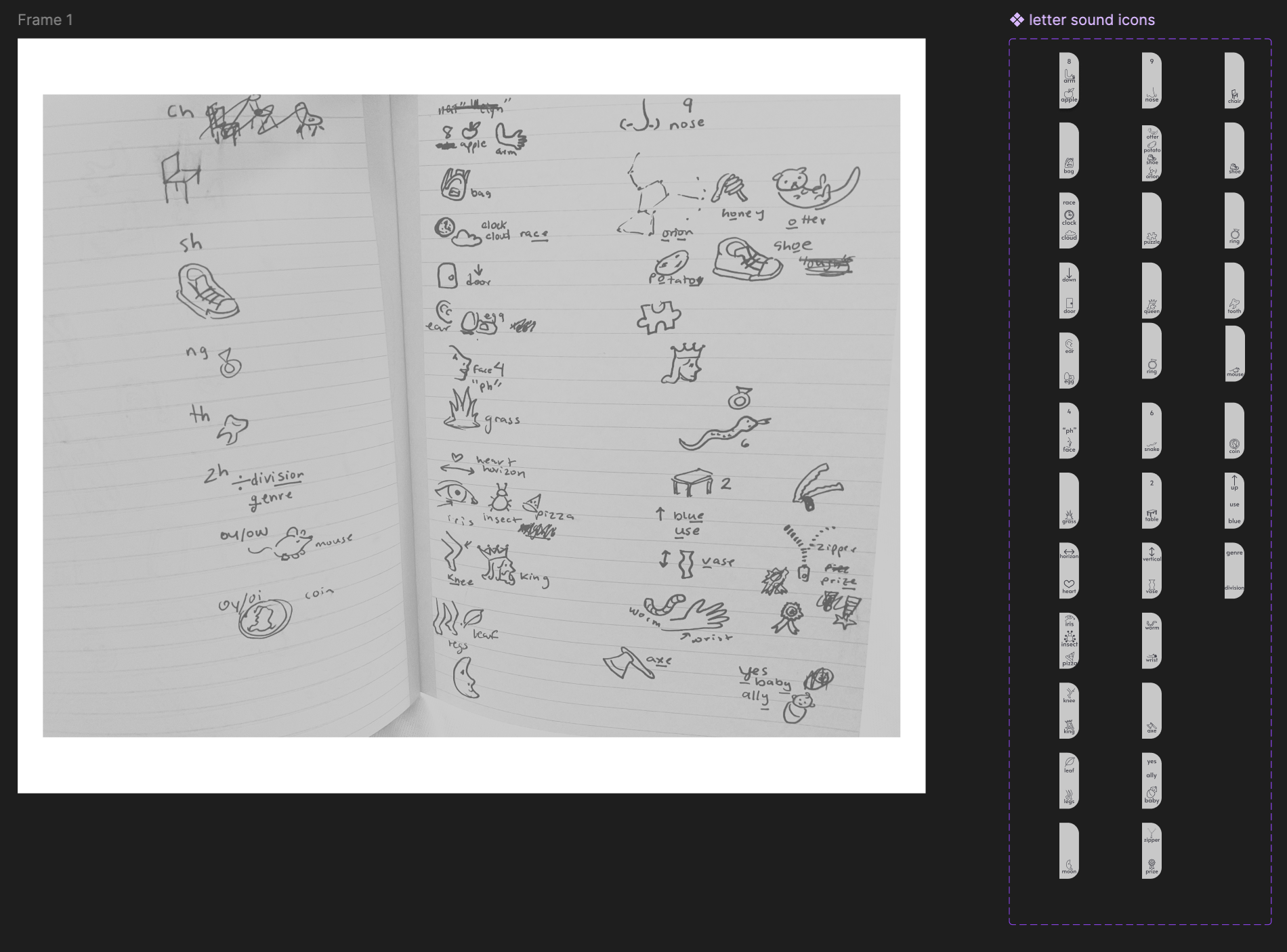
Early versions included hand-drawn icons under each letter as memory aids. Those were later replaced with Lucide icons for visual consistency, but in the final version the icons were removed entirely. In practice, they added visual noise without meaningfully helping her find the right cluster.
What the usage showed
I tracked how often a communication tool was both offered and actively used across five-day workweeks over a summer and school year. After ComBoard became functional, successful uses increased 9.8× per day.
Then I started asking what could work beyond one student.
For more than a year, ComBoard was fundamentally one student's tool. In 2025 I started exploring whether the interaction could become flexible enough for other AAC users without losing the simplicity that had made it useful.
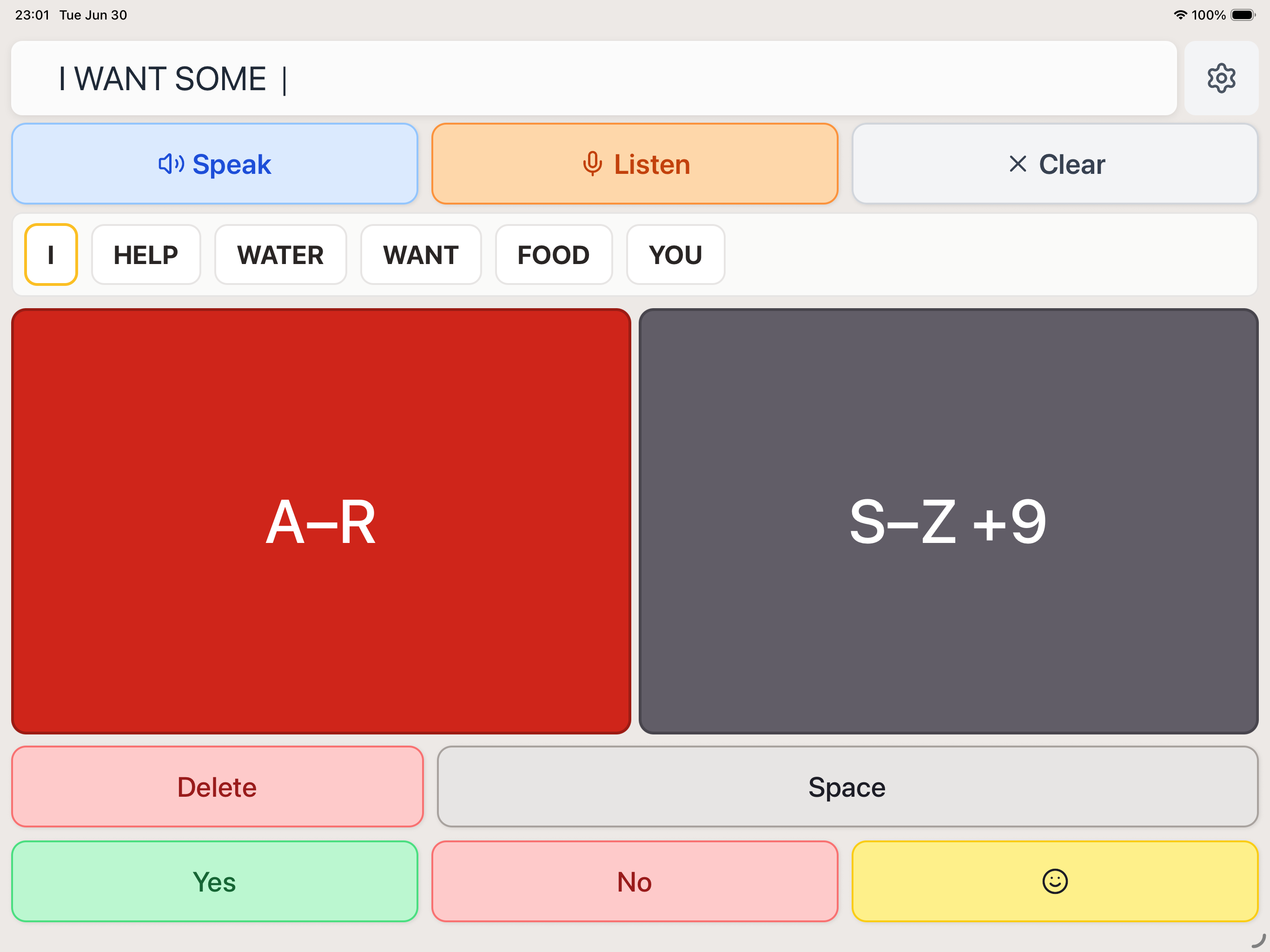
The eventual app supports layouts ranging from very large two-cluster choices to denser arrangements, along with configurable colors and orientations, predictive text, speech output, dictation, and Apple Eye Tracking.
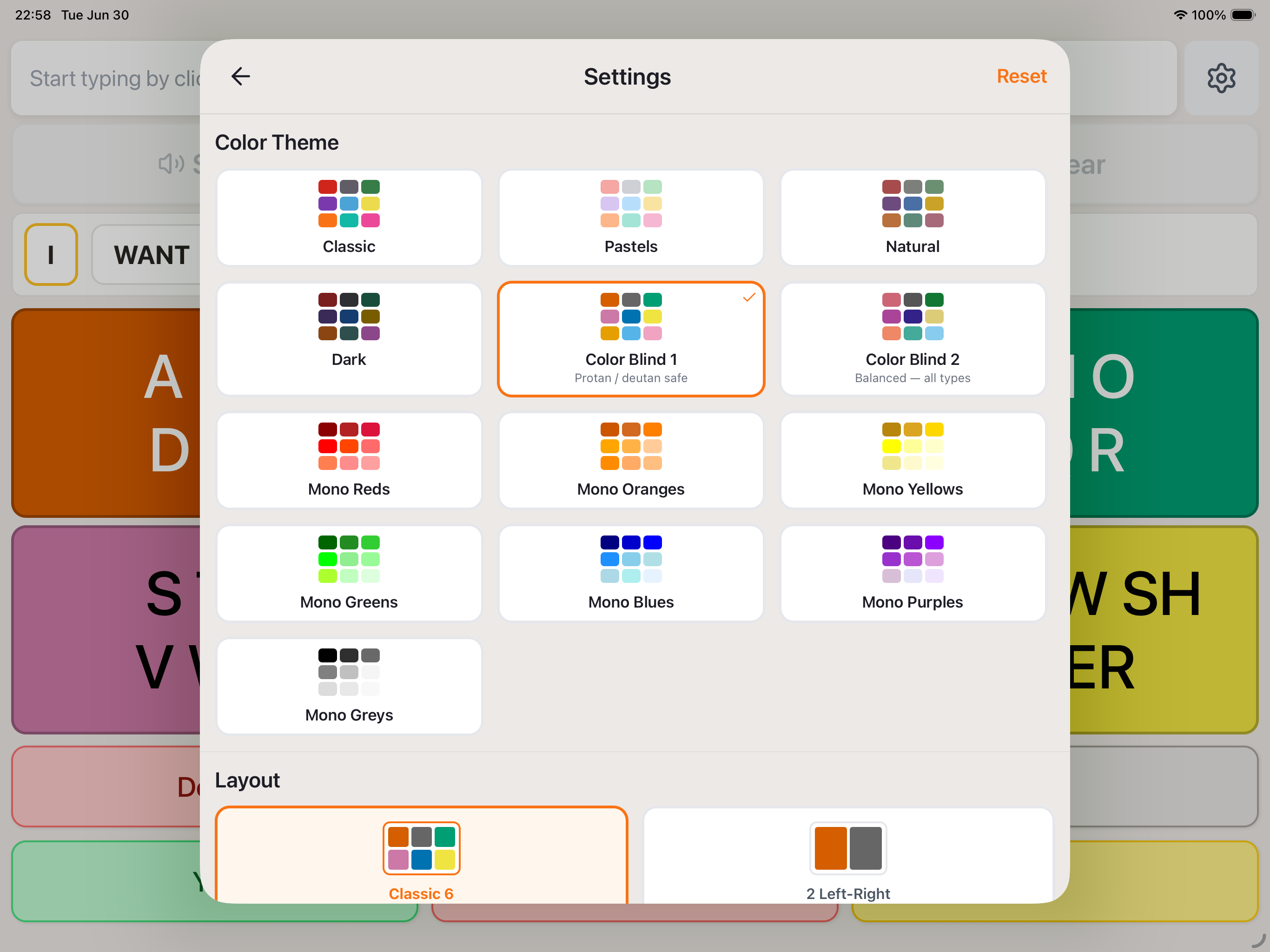
In June 2026, I decided to ship it.
Until then, ComBoard had existed as a succession of prototypes. I gave myself a month to turn it into a real iPhone and iPad app.
AI-assisted coding became a significant part of that process. I used it to help translate my prototypes and design files into production code, connect systems and functionality, and work through implementation problems.
I remained responsible for defining the interactions, evaluating what the implementation actually did, testing it across devices and use cases, and deciding what needed to change.

What I know, and what still needs research.
ComBoard worked unusually well for the person it was originally designed with. She used it far more often than the communication tools available before it and rated it as the tool she most liked using.
I owned the product design and implementation. The primary user continuously shaped the design through use and feedback.
The shipped app is broader than the research behind it. Its next stage needs more AAC users and more testing across gaze, dwell, and switch access.